
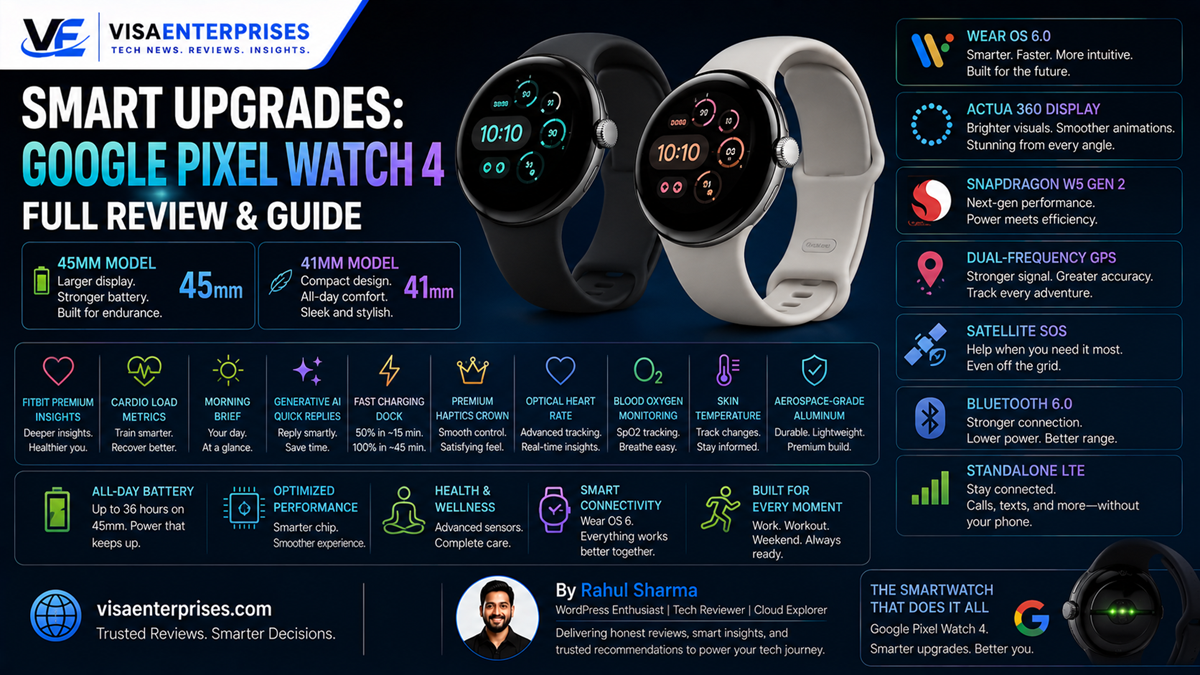
The Google Pixel Watch 4 secures its spot as the ultimate premium smartwatch for the Android ecosystem by successfully fixing the battery limitations of past generations. Driven by the fast Qualcomm Snapdragon W5 Gen 2 platform and running Wear OS 6, this sleek wearable introduces a stunning, 3000-nit domed Actua 360 display with 16% smaller bezels. Offering up to 40 hours of battery life on the 45mm model, dual-frequency GPS, and standalone satellite SOS communications, the Google Pixel Watch 4 brings an unmatched blend of health metrics and on-wrist Gemini AI intelligence to daily users.
Introduction
Early generations of premium smartwatches required users to accept clear technical compromises. If you wanted an elegant wearable that styled beautifully from corporate boardrooms to evening events, you typically had to settle for tiny, dim screens, lagging application interfaces, and erratic location tracking modules. Most frustratingly, these early models suffered from severe power drain, frequently running completely empty before a full 24-hour tracking cycle finished.
That era of foundational compromise is officially over. The global rollout of Google’s latest wearable changes the playing field for mobile health tracking.
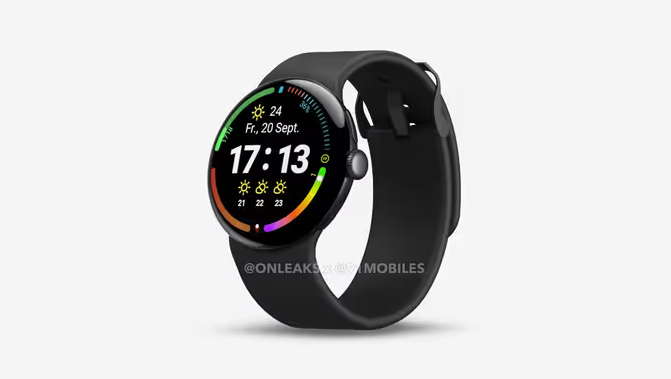
By conducting a rigorous evaluation of the Google Pixel Watch 4, we analyze how these structural hardware updates transform daily usability. From custom silicon processors and battery capacities to local Gemini AI automation and workout metrics, we look closely at how this device behaves under demanding daily routines.
Upgraded Architecture and True Wear OS Performance
Evaluating the Google Pixel Watch 4 requires looking directly beneath its gorgeous glass front to see how Google has completely re-engineered its core processing pipeline. Past versions felt slightly bogged down when loading heavy maps or processing active voice transcription loops.
The Google Pixel Watch 4 resolves this interface lag by combining a high-performance 4nm Snapdragon W5 Gen 2 platform with a dedicated, ultra-low-power Cortex-M55 machine learning coprocessor.
[Background Sensor Inputs] ──> [Low-Power Cortex-M55 Coprocessor] ──> Idle State Conserved
[Active User Interaction]  ──> [Snapdragon W5 Gen 2 Application Core] ──> Instant UI Response
Fluid Interface Navigation and Material 3 Styling
The dual-chip setup allows the watch to manage background heart rate scanning and steps tracking effortlessly without waking the main application cores. Navigating Wear OS 6 feels instantly snappy, featuring smooth window transitions and large tactile buttons matching the latest Material 3 design standards.
Whether you are launching offline music playlists or using the upgraded physical crown to scroll through notifications, everything responds instantly with zero system stuttering.
Domed Actua 360 Display Technology
The front of the sleek aluminum housing introduces the beautiful, curved Actua 360 display. By shaving down the thick black borders of previous generations by 16%, the screen expands its active viewing area significantly.
The underlying LTPO AMOLED glass climbs to an impressive peak brightness of 3,000 nits, making it incredibly easy to read text alerts or dynamic running maps under harsh, direct midday sunlight.
Advanced Health Tracking and On-Wrist Intelligence
The Google Pixel Watch 4 shifts away from simple fitness logging to operate as an active health coach, combining highly accurate physical sensors with advanced machine learning algorithms.
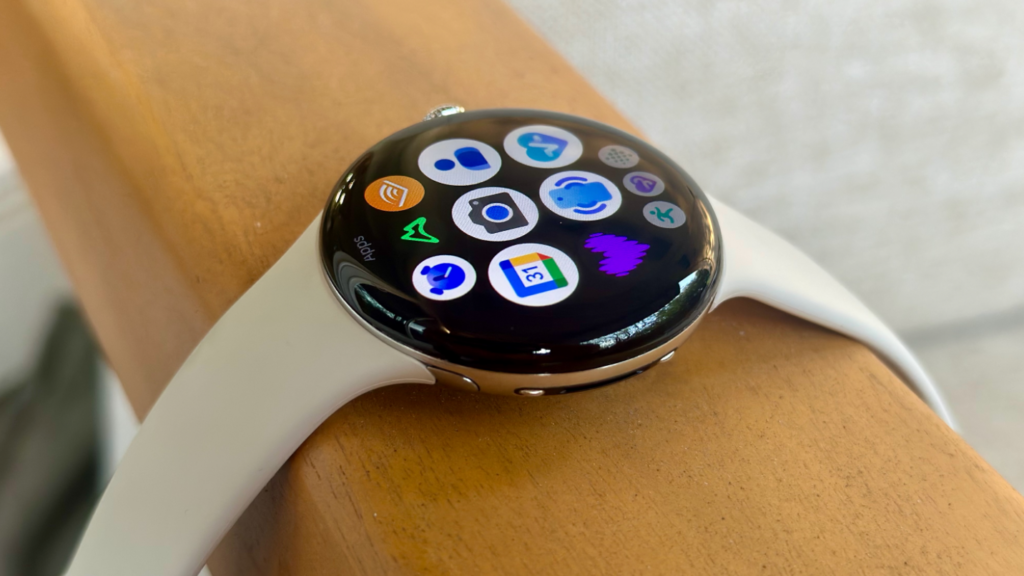
High-Precision Multi-Path Sensing Arrays
The back of the unibody chassis houses an upgraded multi-path optical sensor grid designed to maintain close skin contact even during heavy, high-movement workouts:
- Dual-Frequency GPS: Tracks your running and cycling paths accurately through dense concrete cities or thick tree-covered trails by receiving data from multiple satellite bands simultaneously.
- Cardio Load Management: Tracks your daily workouts and heart rate recovery to show when your body is primed for a tough training session or needs rest, helping protect you from overtraining.
- Satellite SOS Communication: Connects you directly to emergency assistance services using standalone satellite signals when you travel completely outside standard cellular or Wi-Fi network coverage zones.
Seamless On-Device Gemini AI Integration
Taking advantage of the fast processor cores, the built-in Gemini assistant acts as an active helper right on your wrist. Instead of using stiff, pre-written templates, the system uses context-aware models to draft natural, intelligent quick replies to incoming text messages.
Furthermore, the dedicated physical microphone and upgraded speaker let you process complex voice translations and scheduling lookups locally with near-zero latency.
Step-by-Step Guide to Maximizing Watch Longevity
To stretch your Google Pixel Watch 4 battery limits and ensure your tracking suite runs with peak efficiency over a long travel weekend, configure these essential system adjustments.
1. Optimize the Adaptive Display Refresh Cadence
Ensure your bright LTPO AMOLED display layer drops its power consumption intelligently when your arm is at rest.
- Press the physical haptic crown to unlock your device and open the primary app cloud.
- Tap the Settings gear wheel icon and scroll down to select the Display options row.
- Turn on the toggle for Adaptive Brightness to let the ambient light sensor manage output matching.
- Scroll down to find the Always-On Display preferences and verify the dynamic refresh rate is active, allowing the screen to scale down to a hyper-efficient 1 Hz during idle standby windows.
2. Configure Your Custom Morning Brief Setup
Set up your watch to compile key wellness data points automatically so they are ready the moment you wake up.
- Open the Pixel Watch App on your paired Android smartphone.
- Tap into the Watch Settings tab and select the Features & Customization directory.
- Click into the Morning Brief configuration row.
- Turn on the tracking toggles for your Daily Readiness Score, Sleep Pattern Analysis, and local weather forecasts to review a concise overview on your wrist every morning.
3. Initialize Battery Saver Automation Rules
Configure the system to preserve its core health tracking tools automatically when your battery boundaries drop.
- Swipe down from the top of your watch face to reveal the quick settings tile matrix.
- Tap the battery percentage indicator icon to enter the power configuration menu.
- Scroll past the current remaining duration estimates and enable Battery Saver Mode.
- Note: This setting turns off the Always-On Display and limits background data syncing, but it keeps continuous heart rate sensing, steps tracking, and emergency SOS tools completely active.
Common Mistakes to Avoid with the Google Pixel Watch 4
Getting the absolute best long-term performance out of your premium smartwatch requires avoiding a few common user configuration and handling slip-ups.
Leaving the Always-On Display Active During Intense GPS Workouts
Running the dual-frequency GPS tracking module alongside standalone LTE cellular data streaming while keeping the Always-On Display at peak outdoor brightness will drain your battery cell rapidly. Real-world athletic testing shows this heavy usage can drain a full charge in roughly 4 to 5 hours. When heading out for long runs or hikes, turn off the active display layer to ensure your location tracking easily lasts the entire day.
Attempting to Use Legacy Chargers from Older Pixel Watches
Google has completely updated its physical charging architecture for this generation, introducing a side-mounted Quick Charge Dock that completely replaces the pin-based connectors of older models. Trying to place your Google Pixel Watch 4 onto an old generation charging puck will fail to transfer power or cause excessive heat buildup. Always use the official quick-charge cable included in the retail packaging to recover 15 hours of battery life in just 15 minutes.
Forgetting to Calibrate Your Health Baseline Inputs
Failing to input your accurate height, weight, resting heart rate, and training history inside the initial synchronization setup will lead to skewed Daily Readiness and Cardio Load scores. The software algorithms require an accurate personal baseline to calculate your caloric burn and cardiovascular stress levels correctly. Spend five minutes updating your user profile details inside the companion app to ensure your training metrics remain pristine.
Premium Smartwatch Architecture Comparison Table
The comparison matrix below highlights how the Google Pixel Watch 4 stacks up against preceding models and competing high-end wearable alternatives.
| Hardware Feature | Google Pixel Watch 3 | Competing Watch Options | Google Pixel Watch 4 (45mm) |
| Processor Platform | Snapdragon W5 Gen 1 | Standard Wearable Silicon | Snapdragon W5 Gen 2 (4nm) |
| Max Screen Brightness | Up to 2,000 Nits | ~1,500 to 2,000 Nits | Up to 3,000 Nits Actua 360 |
| Wireless Bluetooth Class | Legacy Bluetooth 5.3 | Bluetooth 5.3 Standard | Cutting-Edge Bluetooth 6.0 |
| Location Tracking Tech | Single-Frequency GPS | Standard Satellite Tracking | Dual-Frequency GPS (L1 + L5) |
| Emergency Safety Stack | Basic Cellular SOS | Standard Cellular SOS | Standalone Satellite SOS |
| Always-On Battery Life | Max ~24 to 36 Hours | ~18 to 24 Hours Standard | Up to 40 Hours Continuous |
| Charging Recovery Speed | 0% to 80% in ~45 Minutes | ~45 to 60 Minute Ramping | 0% to 80% in ~30 Minutes Flat |
Pros and Cons of the Android King
Pros
- Superb Multi-Day Battery Lifespan: The 45mm variant easily pushes past 40 hours of continuous runtime with the Always-On Display active.
- Stunning Curved Screen: The 3000-nit Actua display remains perfectly clear and legible even under bright, direct outdoor sunlight.
- Instant Local AI Intelligence: Gemini voice interactions and smart text generation tools process queries smoothly with near-zero latency.
- Incredibly Precise Location Tracking: The dual-frequency GPS module maps training routes accurately through crowded cities and deep forests.
- Advanced Emergency Safety: The addition of standalone satellite SOS communications offers invaluable peace of mind when off the grid.
Cons
- New Charger Incompatibility: The side-mounted charging dock design means older generation cables will not work with this latest model.
- Android-Only Ecosystem Lock: The watch remains completely incompatible with Apple iOS devices, requiring a modern Android smartphone to operate.
Frequently Asked Questions
What are the official battery metrics for the Google Pixel Watch 4?
The 41mm model is officially rated for up to 30 hours of runtime with the Always-On Display enabled, while the larger 45mm version delivers up to 40 hours of continuous use on a single charge.
Does the Google Pixel Watch 4 support standalone emergency calling?
Yes. The wearable features built-in emergency satellite connectivity, allowing you to send SOS messages and share your precise coordinates with emergency response networks even when you travel completely off the grid.
Can I track my swimming workouts with this device?
Yes. The watch features a premium IP68 dust-tight and 5 ATM water-resistance rating, meaning it can easily handle ocean swims, heavy downpours, and continuous pool laps down to a depth of 50 meters without issue.
How fast does the updated quick-charge dock recover power?
The side-mounted Quick Charge Dock delivers a 50% battery charge in just 15 minutes of execution time, while a complete 100% top-up takes 45 minutes for the 41mm variant and 60 minutes for the larger 45mm model.
What is the role of the integrated Cortex-M55 coprocessor?
The specialized coprocessor runs continuously in the background to handle heart rate tracking, step counting, and timekeeping tasks with minimal power draw, keeping the battery-draining main processor cores asleep until needed.
Is a separate Fitbit subscription required to view health metrics?
No. Core health indicators—including your daily sleep score, heart rate variability, SpO2 levels, skin temperature, and baseline readiness logs—are fully accessible within the standard companion app without extra monthly fees.
Does the watch feature built-in smart home automation tools?
Yes. Running the mature Wear OS 6 system layer, the device includes a native Google Home tile that uses universal Matter standards to let you adjust thermostats, check security cameras, or lock smart doors straight from your wrist.
What program language bases power the automated text replies?
The watch utilizes an on-wrist deployment of Gemini Nano intelligence models to analyze incoming text threads locally, instantly suggesting contextually accurate replies that help you answer messages without typing.
Can I pair the Google Pixel Watch 4 with an Apple iPhone?
No. To ensure deep ecosystem integration and high performance across background data paths, the watch is engineered exclusively for smartphones running Android 11.0 or newer.
How can I protect the curved glass screen from scratches?
The domed screen is manufactured using thick, custom 3D Corning Gorilla Glass 5 to protect against daily bumps, but adding a slim screen-shield or clear TPU bumper case provides great extra peace of mind during rugged outdoor activities.
Final Verdict
The launch of the Google Pixel Watch 4 marks a major turning point for the Android wearable ecosystem. By successfully doubling real-world battery endurance, shrinking screen borders, and embedding an ultra-bright 3000-nit panel, Google has delivered a premium smartwatch that checks every box.
When you factor in advanced safety features like standalone satellite SOS and the local processing power of on-wrist Gemini AI, this hardware stands out as an incredibly well-balanced choice. For any Android user looking for a powerful, stylish companion that tracks fitness data around the clock without low-battery anxiety, the choice is clear: the Google Pixel Watch 4 is the new gold standard for Wear OS.
Technical Resources and References
Internal Links
For a deeper dive into our architectural components, view our related breakdowns:
External References
Review official reports and technical product breakdowns directly from leading device authorities:
- Google Store Specifications: https://store.google.com/in/product/pixel_watch_4
- Wikipedia Wearable Chronicles: https://en.wikipedia.org/wiki/Pixel_Watch_4
- GSMArena Device Specifications: https://www.gsmarena.com/google_pixel_watch_4-14088.php

- 5 Smart Ecosystems: Best Smart Home Devices for Seamless Flow - June 2, 2026
- 10 Smart Choices: Top AI Productivity Tools for Workday Success - June 2, 2026
- 5 Smart Choices: Best Budget Smartwatch Models for Hitting Goals - June 2, 2026