
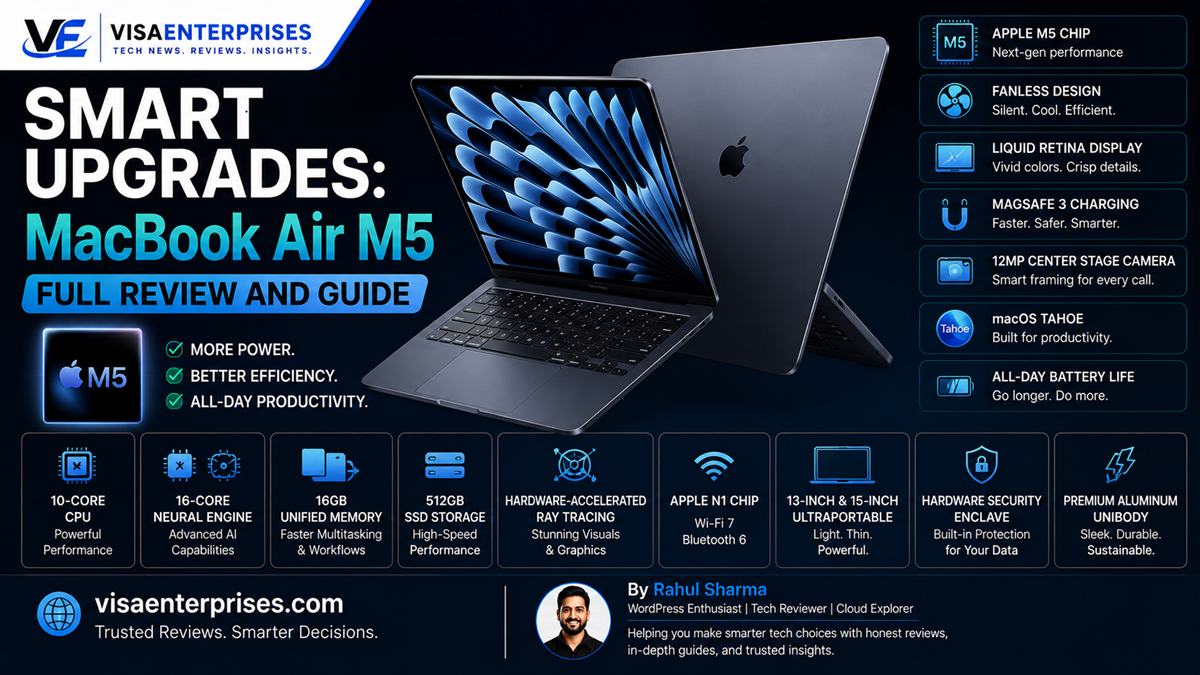
The MacBook Air M5 represents a major structural shift for Apple’s most popular ultraportable laptop. Driven by the next-generation M5 processor and shipping with a much-needed 16GB baseline unified memory and 512GB standard SSD storage, this fanless machine successfully bridges the gap between everyday portability and professional computing power. Delivering up to 18 hours of real-world battery life, lightning-fast Wi-Fi 7 connectivity, and a massive 75% to 108% performance jump over the original M1 model, the MacBook Air M5 easily justifies its adjusted $1,099 starting price tag for anyone upgrading from older computing setups.
Introduction
For years, the entry-level laptop market forced a clear choice between sheer processing power and effortless portability. If you wanted a lightweight machine that slipped easily into a travel bag, you had to make peace with limited memory allocations, slow file transfer speeds, and processors that would quickly stutter under heavy multitasking or image editing pipelines. Power users were left with no choice but to invest in heavy, expensive professional laptops.
The landscape has changed dramatically. The release of Apple’s latest hardware lineup blurs the line between consumer ultraportables and professional workhorses.
By conducting a rigorous evaluation of the MacBook Air M5, we analyze whether this generation’s internal chip transition offers a meaningful performance leap or merely introduces a minor spec modification. From memory bandwidth expansions and local machine learning execution to fanless heat management and battery life benchmarks, we look at exactly how this machine behaves under demanding enterprise workflows.
Pro-Level Performance in a Fanless Frame
Evaluating the MacBook Air M5 requires looking directly at how Apple has fundamentally overhauled its entry-level hardware standards. For years, the baseline configuration of the Air line relied on a restrictive 8GB of memory and a tight 256GB storage drive. This configuration created immediate memory bottlenecks when handling complex tasks.
The launch of the MacBook Air M5 remedies this long-standing issue by establishing 16GB of high-speed unified memory and a spacious 512GB fast flash drive as the minimum entry-level specification.
[M5 Core Engine Allocation] ──> [153GB/s High-Bandwidth Memory] ──> [16-Core Neural Engine]
                                                                                │
[Silent Local Output Execution] <── [Fanless Passive Dissipation] <── [28 Billion Transistors]
Advanced Core Chip Arrangements
The underlying M5 silicon architecture packs an impressive 28 billion transistors into a highly optimized structure. The processor features a robust 10-core arrangement that splits tasks across four high-performance cores running at up to 4.6 GHz and six energy-efficient cores.
By bumping its internal memory bandwidth up to a blazing 153GB/s, the machine shifts data across system memory channels significantly faster than previous configurations, keeping system animations completely fluid.
Local Machine Learning Acceleration
A key technical benefit of the MacBook Air M5 is the implementation of dedicated, upgraded Neural Accelerators alongside its 16-core Neural Engine. When managing modern localized development utilities, automated scripting tools, or deep audio mixing layers within applications like Logic Pro, the system handles heavy vector calculations directly on the silicon die. This local execution keeps your responses instant without requiring a constant network connection to external cloud data farms.
The Realities of Passive Thermal Cooling
Because the laptop remains a completely silent, fanless machine, it relies entirely on its recycled aluminum unibody frame for passive heat management. During heavy, prolonged processing workloads—such as rendering long 4K video timelines or culling thousands of high-resolution RAW image files—the underside of the casing will become warm to the touch.
While the system’s smart internal safeguards manage performance gracefully to prevent overheating, users with sustained, multi-hour rendering needs may still want to check out the active internal cooling fans found in the premium MacBook Pro lines.
Hardware Integration and Connectivity Upgrades
While the exterior unibody profile retains the elegant, sharp design language introduced in past updates, the MacBook Air M5 introduces critical upgrades to its internal communications stack and integrated multimedia components.
Blazing-Fast Wireless Tech Stack
The laptop marks the debut of the specialized Apple N1 wireless networking chip. This hardware upgrade injects cutting-edge communication protocols directly into your mobile workspace:
- Wi-Fi 7 Implementation: Allows for ultra-wide channel access on compatible modern routers, yielding file download and local network transfer speeds that are up to three times faster than older Wi-Fi formats.
- Bluetooth 6 Integration: Establishes highly stable, low-latency audio transmission paths while shrinking passive power draw when linked to modern wearable devices.
- Thread Networking Support: Provides native mesh communication options to interact directly with certified smart home hardware elements locally.
Enhanced Visual Capture and Multi-Screen Logic
The display notch houses an upgraded 12MP Center Stage camera sensor that natively supports Desk View. This advanced setup keeps you perfectly framed during dynamic video conferences while using smart image signals to clean up background video noise in dim room lighting.
Furthermore, the updated internal display engine provides a long-awaited feature: it can natively drive two external 4K monitors simultaneously over a single Thunderbolt port, even while the main Liquid Retina display remains fully open.
Step-by-Step Optimization for macOS Tahoe
To maximize the processing speed, app responsiveness, and battery health of your MacBook Air M5, configure these essential system adjustments across your operating system preferences.
1. Optimize Unified Memory Allocations
Ensure your background services prioritize your local hardware resources for intense creative and development tools.
- Open your system Activity Monitor utility using Spotlight search.
- Click into the Memory tab at the top of the interface to inspect your active Memory Pressure graph.
- Identify any non-essential background daemons or cloud synchronization tools that remain active during focus blocks.
- Launch your core System Settings, navigate to General, open Login Items, and turn off non-essential applications to keep your baseline system overhead as clean as possible.
2. Configure Advanced External Display Engine Routing
Set up your multi-monitor layout to run seamlessly across high-resolution external displays without reducing system performance.
- Connect your high-speed Thunderbolt 4 or USB-C display cables directly to the left side-mounted ports.
- Navigate to your System Settings application and select the Displays tab.
- Click the Arrange… button to map out your digital workspace alignment.
- Set your primary external monitor to run at its native high resolution while selecting an energy-efficient refresh cadence to maintain absolute system balance.
3. Initialize Battery Longevity Protections
Activate smart system charging protocols to preserve the overall health and chemistry lifespan of the built-in lithium-polymer cell.
- Enter the System Settings dashboard and scroll down to select the Battery options menu.
- Tap the info icon next to the Battery Health readout row.
- Turn on the toggle for Optimized Battery Charging to allow your laptop to learn your daily usage habits and hold its capacity level at a stable 80% when connected to desktop power setups for extended periods.
Common Mistakes to Avoid with the MacBook Air M5
Getting the absolute best long-term value out of this premium ultraportable notebook requires making informed equipment and configuration choices.
Selecting Pricey Upgrades Intended for the Pro Line
While the MacBook Air M5 easily handles intense photo editing and light software compilation, attempting to configure a custom model with 32GB of RAM and a 2TB SSD can quickly push your receipt past the $1,700 mark. At that price bracket, you enter the territory of the dedicated MacBook Pro M5. The Pro series provides an active fan cooling stack, a much smoother 120Hz ProMotion screen layer, and an expanded array of hardware ports like a built-in SD card reader.
Straining the 60Hz Display Engine with Extreme Frame Gaming
The gorgeous Liquid Retina display offers an exceptional wide color gamut (P3) and outputs a bright 500 nits of luminance, making it fantastic for accurate print and photo work. However, the screen panel remains limited to a standard 60Hz refresh rate. Attempting to run competitive first-person shooter games at maximum visual frames can lead to screen tearing. For gaming blocks, route your visual output to a fast external gaming display.
Relying on Low-Wattage Third-Party Charging Bricks
The base packaging for certain entry-level configurations includes a compact 30W wall plug to minimize packing materials. While a 30W block is perfectly fine for overnight charging, it cannot fast-charge the system when you are in a rush. To take advantage of the laptop’s rapid charging capabilities—recovering up to 50% of your total battery capacity in just 26 minutes—invest in an official or certified third-party 70W or higher USB-C Power Delivery wall adapter.
Ultraportable Computing Platform Comparison Table
The comparison matrix below details the hardware specifications and benchmark performance positions across Apple’s current consumer laptop tiers.
| Architectural Feature | Baseline Legacy M1 Air | Previous Generation M4 Air | New MacBook Air M5 (13″) |
| Processor Platform | Apple M1 (8-Core Core) | Apple M4 (10-Core Core) | Apple M5 (10-Core Chip) |
| System Memory Baseline | 8GB Unified Allocation | 16GB Baseline Entry | 16GB High-Bandwidth RAM |
| Storage Base Capacity | 256GB Legacy Flash Drive | 256GB Standard Storage | 512GB Fast Flash SSD |
| Wireless Data Modems | Wi-Fi 6 / Bluetooth 5.0 | Wi-Fi 6E / Bluetooth 5.3 | Wi-Fi 7 / Bluetooth 6 (N1) |
| Integrated Camera Matrix | 720p FaceTime Lens | 1080p FaceTime Camera | 12MP Center Stage Node |
| External Display Bounds | Single 6K Display Support | Two External Displays (Lid Closed) | Two Live External Displays (Lid Open) |
| Starting Market Pricing | Discontinued (~$999 Launch) | Predecessor Tier (~$999 Base) | Retails from $1,099 / ₹1,19,900 |
Pros and Cons of the M5 Silicon Upgrade
Pros
- Blazing-Fast Processing Speeds: The M5 silicon chip cuts down export wait times dramatically, making old M1 systems feel like tech history.
- Massive Baseline Storage Upgrades: Moving up to a standard 16GB RAM and 512GB SSD configuration removes the frustration of sudden storage warnings.
- Outstanding Real-World Battery Life: The hardware easily delivers 15 to 17 hours of standard office use, outlasting equivalent Windows ultraportables.
- Completely Silent Operation: The fanless unibody design stays totally quiet, ensuring zero noise distractions during intense study or focus sessions.
- Next-Gen Wireless Future-Proofing: Integrated Wi-Fi 7 and Bluetooth 6 support provide lightning-fast local network file transfers.
Cons
- Price Floor Increase: The starting investment point bumps up by a flat hundred dollars over older generation entry boundaries.
- Limited Built-In Ports: The slim chassis carries only two Thunderbolt 4 slots, making a separate expansion hub necessary for legacy USB-A setups.
Frequently Asked Questions
What makes the MacBook Air M5 upgrade worth buying?
The upgrade stands out by delivering pro-level performance within an ultra-thin frame, completely eliminating past configuration bottlenecks by introducing a standard 16GB of RAM and 512GB of SSD storage across all base models.
How much faster is the MacBook Air M5 compared to older models?
Real-world application testing shows the M5 chip runs roughly 10% to 20% faster than the previous generation, while executing complex rendering and multitasking workflows a massive 75% to 108% quicker than the original M1 model.
Can the MacBook Air M5 run heavy creative apps like Photoshop?
Yes. The upgraded chip and expanded memory bandwidth let you edit complex multi-layered image files, manage multiple audio tracks, and handle light 4K video editing loops without experiencing interface lag.
Does the fanless design of the MacBook Air M5 cause severe overheating?
During extended processing sessions or heavy video rendering, the aluminum casing will become noticeably warm underneath as it dissipates heat passively. However, its internal safeguards effectively protect the system components without crashing.
How many external monitors can the MacBook Air M5 drive simultaneously?
The updated display engine natively supports up to two external displays up to 6K resolution at 60Hz simultaneously, and unlike past models, it can drive both external screens while the main laptop lid remains completely open.
What is the battery runtime of the new model during typical workdays?
For standard office productivity tasks—including web browsing, document writing, and team chats—the high-density battery cell easily pushes past 17 hours of continuous use on a single charge.
What are the new color choices available for this generation?
The high-quality aluminum chassis comes in four distinct metallic color profiles: an all-new subtle Sky Blue, a deep Midnight black, a warm Starlight gold, and a traditional classic Silver finish.
Does the MacBook Air M5 keyboard include Touch ID security?
Yes. The backlit Magic Keyboard features a highly responsive, secure Touch ID biometric fingerprint sensor embedded straight into the top-right power key for instant profile unlocking.
Can the internal RAM or storage be upgraded after purchase?
No. Because the unified memory blocks and flash storage modules are permanently integrated onto the primary M5 system chip, your component choices are locked in at checkout and cannot be altered later.
What wall charger is required to unlock fast charging capabilities?
To charge your system battery from 0% up to 50% capacity in approximately 30 minutes, you need to pair the included MagSafe 3 cable with a certified 70W or higher USB-C Power Delivery wall adapter.
Final Verdict
The launch of the MacBook Air M5 establishes a powerful new standard for premium consumer laptops. By moving past restrictive memory allocations and making a robust 16GB of RAM and a spacious 512GB SSD standard across all base models, Apple has created a fanless ultraportable that can easily handle heavy workflows.
While the $1,099 starting price point requires a slightly larger upfront investment, the massive performance leap over older Intel or early M1 models makes it an incredibly value-packed choice. For any student, writer, or mobile professional looking for a silent, exceptionally efficient laptop that balances featherlight portability with pro-level power, the MacBook Air M5 is a phenomenal choice that will easily go the distance.
Technical Resources and References
Internal Links
For a deeper dive into our architectural components, view our related breakdowns:
External References
Review official press announcements and hardware specifications directly from primary authorities:
- Apple Newsroom Milestone Hub: https://www.apple.com/newsroom/2026/03/apple-introduces-the-new-macbook-air-with-m5/
- Apple Support Technical Directory: https://support.google.com/macbook-air/specs/m5-2026
- The Guardian Technology Analysis: https://www.theguardian.com/technology/2026/apr/15/macbook-air-m5-review-apple-best-consumer-laptop-faster-battery-life-storage

- 5 Smart Ecosystems: Best Smart Home Devices for Seamless Flow - June 2, 2026
- 10 Smart Choices: Top AI Productivity Tools for Workday Success - June 2, 2026
- 5 Smart Choices: Best Budget Smartwatch Models for Hitting Goals - June 2, 2026