
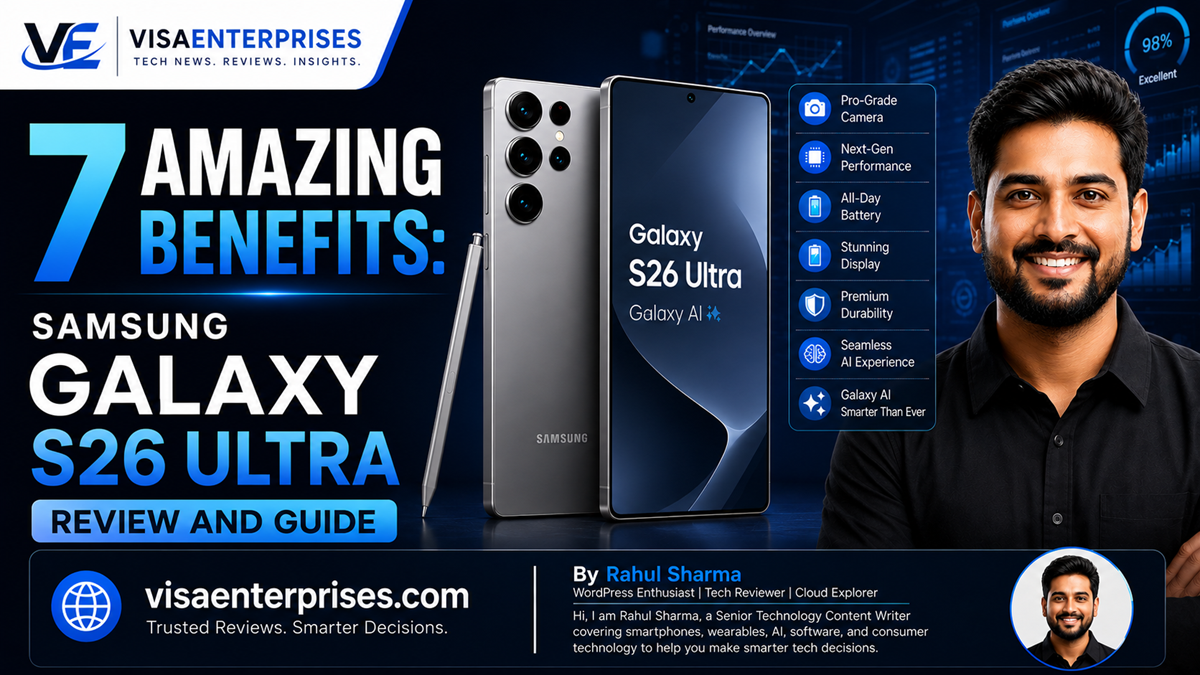
The Samsung Galaxy S26 Ultra stands out as the premium flagship for mobile productivity and on-device machine intelligence. Anchored by the custom Snapdragon 8 Elite Gen 5 processor and running One UI 8.5 over Android 16, this high-end device combines top-tier processing power with hardware upgrades like a 200MP main camera featuring a wider F1.4 aperture. Key additions—including a built-in privacy display, proactive context-aware software automation, and faster 60W wired charging—make the Samsung Galaxy S26 Ultra a refined, incredibly capable package for users seeking the absolute peak of modern mobile technology.
Introduction
The high-end smartphone market has shifted from a race for sheer hardware specifications to a competition over deep software intelligence. While upgrading raw clock speeds and adding extra pixels still matter, true mobile innovation now depends on how effectively a device can anticipate user needs, secure personal data, and simplify creative workflows.
The launch of Samsung’s latest premium device highlights this ongoing evolution. In this detailed review, we evaluate whether the Samsung Galaxy S26 Ultra truly establishes a new benchmark for mobile productivity or simply refines a familiar formula.
By examining its updated multi-agent software layers, processing architecture, hardware adjustments, and battery curves, we break down exactly how this flagship phone performs under demanding daily use.
Next-Gen On-Device Intelligence and Performance
Operating the Samsung Galaxy S26 Ultra reveals a system built entirely around context-aware software features and advanced machine learning performance. While previous iterations felt like standard platforms running separate cloud-based helper features, this model integrates its intelligence engine straight into the core architecture.
The backbone of this performance jump is the Qualcomm Snapdragon 8 Elite Gen 5 chipset, customized specifically for the Samsung Galaxy S26 Ultra hardware stack.
Upgraded Neural and Graphics Architectures
The custom silicon brings a massive 39% boost to neural processing unit (NPU) operations alongside a 24% improvement in graphics rendering. This means background automation loops, language translation layers, and image recognition tools run locally on the device without creating system lag or demanding constant cloud communication.
To keep this processing power stable during heavy workloads, an expanded internal vapor chamber cooling setup manages thermal distribution efficiently.
Proactive Context-Aware System Utilities
The upgraded software layer introduces system utilities designed to save you time throughout your day:
- Now Nudge: Monitors active screen elements to offer helpful, real-time shortcuts. For example, if a contact asks you for trip photos in a chat app, the system automatically surfaces relevant gallery suggestions so you can share them instantly.
- Now Brief: Compiles loose calendar entries, unread notifications, and weather adjustments into clear, concise morning summaries.
- Call Screening: Uses localized voice agents to intercept unknown phone numbers, ask why they are calling, and display a text transcript in real time so you can filter out spam.
The World’s First Integrated Mobile Privacy Screen
A standout innovation on the Samsung Galaxy S26 Ultra is the inclusion of a hardware-based privacy display. By layering specialized narrow-beam organic light-emitting diodes (OLEDs) alongside traditional wide-angle elements, the screen can narrow its light dispersion at the tap of a button.
When you turn on the toggle, the display dims sharply when viewed from a 45-degree angle, preventing surrounding onlookers from viewing your sensitive documents or banking details in public spaces.
Hardware Transformations and Camera Performance
While the phone keeps a silhouette similar to its predecessor, holding the Samsung Galaxy S26 Ultra reveals a shift in design and ergonomics. Samsung opted for a thinner 7.9mm profile and lowered the overall weight to 214 grams, using a refined Armor Aluminum frame with subtly rounded corners to ensure a comfortable, natural grip.
The camera setup also receives meaningful upgrades, anchored by a newly designed ambient island style that unifies the quad-lens array.
[200MP Main Sensor (F1.4)] ──> [AI ISP Noise Reduction] ──> [ProScaler6 Detail Sharpening]
                                                                        │
[Finished Visual Export]   <── [Photo Assist / Creative Studio] <── [ProVisual Engine Review]
1. Ultra-Bright 200-Megapixel Wide Lens
The main wide-angle sensor leaps forward by pairing its high 200MP resolution with a significantly wider F1.4 aperture. This change lets in up to 47% more light compared to previous configurations, giving the Samsung Galaxy S26 Ultra a massive advantage when freezing action or shooting in mixed indoor lighting.
2. Upgraded Nightography Video Processing
Low-light video recording gets a boost from an upgraded AI-powered image signal processor (ISP). The system applies advanced temporal noise reduction algorithms directly to raw sensor data, preserving accurate skin tones and cleaning up grain in dim environments without introducing muddy artifacts.
3. Advanced Telephoto and Stable Video Capabilities
The telephoto array relies on a 50MP sensor with 5x true optical zoom, scaling up to a 10x optical-quality crop and supporting a 100x Space Zoom utility. For video stabilization, an upgraded Super Steady suite incorporates a digital Horizontal Lock feature, keeping your high-speed action clips level even when navigating bumpy trails.
4. Generative Photo Assist and Creative Studio
Editing your media files is incredibly simple within the native gallery application. Through the upgraded Photo Assist suite, you can write out natural language text prompts to change an entire image composition, modify an outfit, or seamlessly fill in background elements.
Additionally, Creative Studio lets you isolate custom portrait elements to generate personalized stickers and invites instantly.
Step-by-Step Guide to Optimizing Flagship Workflows
To unlock the maximum speed and efficiency of the Samsung Galaxy S26 Ultra, configure these key system settings within One UI 8.5.
1. Activate the Native Privacy Display Toggle
Ensure your personal on-screen data remains safe from wandering eyes when working in public spaces by placing the privacy shield control in your quick settings panel.
- Swipe down twice from the top of the screen to expand the quick settings tile matrix.
- Tap the pencil icon to enter the panel layout configuration menu.
- Drag the Privacy Display shortcut tile into your active grid.
- Tap the icon to activate the narrow-beam light configuration whenever you handle sensitive work around others.
2. Configure Local Context-Aware Suggestions
Set up your background assistant tools to handle messaging shortcuts and calendar lookups seamlessly.
- Open the core system Settings menu and select Advanced Features.
- Tap the Galaxy AI configuration row to access the intelligence suite.
- Select Now Nudge and turn on the tracking toggles for your primary communication apps.
- Customize your automated reply styles to match your personal writing tone.
3. Adjust Display Performance and Battery Profiles
Balance the bright 2,600-nit screen output with long-term battery endurance using custom refresh metrics.
- Navigate back to the main directory and tap into the Display choices.
- Select Motion Smoothness and verify the option is set to Adaptive to allow the LTPO panel to scale fluidly from 1Hz to 120Hz based on content.
- Enter the Screen Resolution sub-menu and choose QHD+ to experience the full clarity of the 1440×3120 pixel display.
4. Set Up Automated Offline Call Screening
Configure the integrated voice assistant to intercept unknown calls before they interrupt your workflow.
- Open the phone application and tap the three-dot option menu in the top right corner.
- Tap into Settings and choose the Call Assist options profile.
- Turn on Text Call / Call Screening and download your preferred localized language packs.
- Set the automated greeting to ask incoming callers for their name and purpose before ringing your device.
Common Flagship Implementation Mistakes to Avoid
Getting the absolute most out of this premium device requires avoiding a few common configuration and charging errors.
Using Incompatible Low-Wattage Wall Chargers
The device introduces faster Super Fast Charging 3.0 technology capable of pulling up to 60W of power. If you stick with an older 15W or 25W charging brick, your battery top-up times will slow down significantly. To hit the target of a 75% charge in just 30 minutes, make sure to pair your device with an official or third-party Power Delivery (PD 3.0) charger that supports a minimum 60W output with PPS profiles.
Disabling On-Device NPU Processing Options
If you accidentally toggle off local processing parameters because of general battery anxieties, you force all your translation and editing requests to route through external cloud servers. This increases response lag and prevents tools like Now Nudge or Call Screening from working offline. Keep local processing active to maximize the efficiency of the custom chipset.
Applying Thick Glass Screen Protectors Without Recalibrating
Adding a thick, uncertified third-party tempered glass screen protector over the advanced display can degrade the performance of the built-in anti-reflective coating and slow down the ultrasonic fingerprint scanner. If you choose to use an additional screen cover, make sure to toggle on Touch Sensitivity inside your display settings and re-register your fingerprints to keep unlocking near-instantaneous.
Premium Mobile Platform Comparison Table
The comparison table below outlines how the Samsung Galaxy S26 Ultra performs against previous models and competing premium alternatives.
| Architectural Feature | Legacy Ultra Frameworks | Base Flagship Configurations | Samsung Galaxy S26 Ultra |
| Processor Platform | Snapdragon 8 Gen 3 | Snapdragon 8 Elite Standard | Snapdragon 8 Elite Gen 5 (Custom) |
| NPU AI Performance | Cloud-dependent assistance | Standard localized tool runs | 39% Faster Multi-Agent Processing |
| Main Camera Aperture | F1.7 Light Intake | F1.8 Standard Intake | F1.4 Ultra-Bright Intake |
| Display Protection | Armor Glass Gen 1 | Standard Gorilla Glass | Corning Gorilla Armor 2 / Privacy Mode |
| Wired Power Recovery | 45W Maximum Intake | 25W to 45W Standard Intake | 60W Super Fast Charging 3.0 |
| Long-Term OS Support | 4 to 5 Major Upgrades | 3 to 5 Generation Upgrades | 7 Major Upgrades (To Android 23) |
Pros and Cons of the Ultimate AI Flagship
Pros
- Superb Local Performance: The custom processor runs intense generative tasks and multitasking loops instantly without stuttering.
- Excellent Low-Light Cameras: The wider F1.4 aperture capture path combined with advanced noise reduction delivers crisp, bright night shots.
- Smart Privacy Shielding: The hardware-based privacy display offers great reassurance when viewing personal data in crowded areas.
- Faster Battery Rebounds: The upgrade to 60W wired charging brings the phone back to full strength much faster than older models.
- Long-Term Software Commitment: A full 7-year promise for major Android operating system upgrades keeps the hardware relevant into the next decade.
Cons
- Camera Thermal Buildup: Recording long 8K clips or processing heavy generative edits back-to-back can cause the device to warm up temporarily.
- Unchanged Cell Size: Keeps the same 5000mAh battery capacity as previous generations, relying entirely on processor efficiency for runtime gains.
Frequently Asked Questions
What are the standout features of the Samsung Galaxy S26 Ultra?
The phone introduces a custom Snapdragon 8 Elite Gen 5 processor, an ultra-bright 200MP main camera with an F1.4 aperture, a built-in privacy display, and faster 60W charging.
How does the new privacy display function on this model?
It utilizes dual light-emitting OLED patterns. When you turn on privacy mode, the screen blocks wide-angle light dispersion, making the panel appear dark from side viewing angles.
Does the camera system on the Samsung Galaxy S26 Ultra overheat?
Capturing continuous high-resolution video or running generative tools back-to-back can cause the device to generate temporary warmth, but its large vapor chamber brings temperatures down quickly.
What charging brick is required for the fastest power recovery?
To take advantage of 60W Super Fast Charging 3.0 speeds, you need a Power Delivery (PD 3.0) wall adapter rated for 60W or higher that fully supports PPS charging profiles.
How many software updates will the Samsung Galaxy S26 Ultra receive?
Samsung officially provides 7 major Android operating system upgrades and 7 years of consistent security patches for this device, ensuring support through Android 23.
What is the role of Now Nudge within One UI 8.5?
Now Nudge acts as a proactive assistant that monitors your screen context to suggest instant, helpful actions, like pulling up calendar invites or sharing specific images without changing apps.
Is the S Pen included with the Samsung Galaxy S26 Ultra?
Yes. The signature S Pen stylus remains fully integrated into the bottom of the device’s Armor Aluminum frame, providing precise control for drawing, note-taking, and remote gestures.
How does the 200MP camera perform in dark environments?
Thanks to the wider F1.4 aperture and an upgraded AI ISP, the sensor captures significantly more light, which drastically reduces grain and blur during low-light Nightography sessions.
Does the device support Qi2 wireless magnetic charging?
The phone features upgraded 25W wireless charging capabilities under the Qi2.2 standard, though it does not include a built-in magnetic ring alignment system out of the box.
Is the device fully water resistant?
Yes. The phone carries an IP68 dust-tight and water-resistance rating, meaning it can survive accidental submersions in fresh water up to 1.5 meters deep for up to 30 minutes.
Final Verdict
The launch of the Samsung Galaxy S26 Ultra sets a high bar for premium, multi-agent smartphone design. While it refines a familiar visual design, the core upgrades underneath—such as the massive local NPU processing jump, the ultra-bright F1.4 camera sensor, and the innovative privacy display—prove this device is a true productivity powerhouse.
By avoiding complex cloud relays and focusing heavily on on-device privacy and helpful, context-aware automation shortcuts, Samsung offers power users a reliable, future-proof flagship that handles demanding workloads with ease.
Technical Resources and References
Internal Links
For a deeper dive into our architectural components, view our related breakdowns:
External References
Review official documentation and product specifications directly from primary authorities:
- Samsung Global Newsroom Release: https://www.samsungmobilepress.com/articles/samsung-unveils-galaxy-s26-series-intuitive-galaxy-ai
- Qualcomm Snapdragon Mobile Platforms: https://www.qualcomm.com/products/mobile/snapdragon/snapdragon-8-series
- Samsung India Official Hub: https://www.samsung.com/in/explore/brand/galaxy-s26-series-next-gen-ai-camera-and-performance/

- 5 Smart Ecosystems: Best Smart Home Devices for Seamless Flow - June 2, 2026
- 10 Smart Choices: Top AI Productivity Tools for Workday Success - June 2, 2026
- 5 Smart Choices: Best Budget Smartwatch Models for Hitting Goals - June 2, 2026